Freshness and refresh cadence
Contents
Every materialized view has a refresh cadence: how often PostHog runs its query and replaces the stored table. You set it with Refresh every on the view's Materialization tab.
The cadence is the freshness you're asking for. Each run picks up whatever its inputs hold at that moment, so the data in a view can be as old as its cadence plus the age of the data it reads. A view that refreshes every hour over an hourly source can hold data close to 2 hours old, even when every run succeeds.
Choosing a cadence
Refresh every offers eight options:
| Option | Refreshes every |
|---|---|
| 15m | 15 minutes |
| 30m | 30 minutes |
| 1h | 1 hour |
| 6h | 6 hours |
| 12h | 12 hours |
| 1d | 1 day |
| 7d | 7 days |
| 30d | 30 days |
A view you materialize without picking a cadence refreshes once a day.
Pick the slowest cadence that still answers your question. Each run reads the data again, so a faster cadence costs more and puts more load on your sources. A dashboard people check each morning rarely needs a view that refreshes every 15 minutes.
To stop scheduled refreshes, choose Pause refreshes from the menu next to Sync now. A paused view keeps its last table and still answers queries. Sync now refreshes it once. To start scheduled refreshes again, pick a cadence.
What limits the cadence
A view can't be fresher than the data it reads, and it can't be staler than the views that read it need. So some options can be unavailable for a given view. Hover over an unavailable option to see what limits it. The line under the picker names both limits.
Upstream sources set the fastest cadence
A view can't refresh more often than its freshest input. If a view reads only a Stripe source that syncs every 6 hours, refreshing it every 15 minutes would only read the same data again, so the options faster than 6 hours show More often than upstream source ... syncs.
When a view reads several inputs, the freshest one sets the limit. A view that joins that 6-hour Stripe source with events can still refresh every 15 minutes: the event data is new on each run, while the Stripe columns change every 6 hours.
PostHog data, like events and persons, has no sync schedule to wait for, so it doesn't limit the cadence.
Some sources have no sync schedule at all. The picker says so, because refreshing more often can't make that data any newer.
Downstream views set the slowest cadence
A view can't refresh less often than the views and Endpoints built on it need. If a downstream view refreshes every hour, the upstream view it reads can't be set to once a day. The slower options show Too slow for downstream view ..., unless you pin the view.
When no cadence works
Sometimes the two limits cross. For example, an upstream source syncs every 12 hours, but a downstream view refreshes every hour. No cadence satisfies both, and the picker says No cadence works here. Slow down the downstream view or speed up the source sync to fix it.
Upstream views keep up with downstream ones
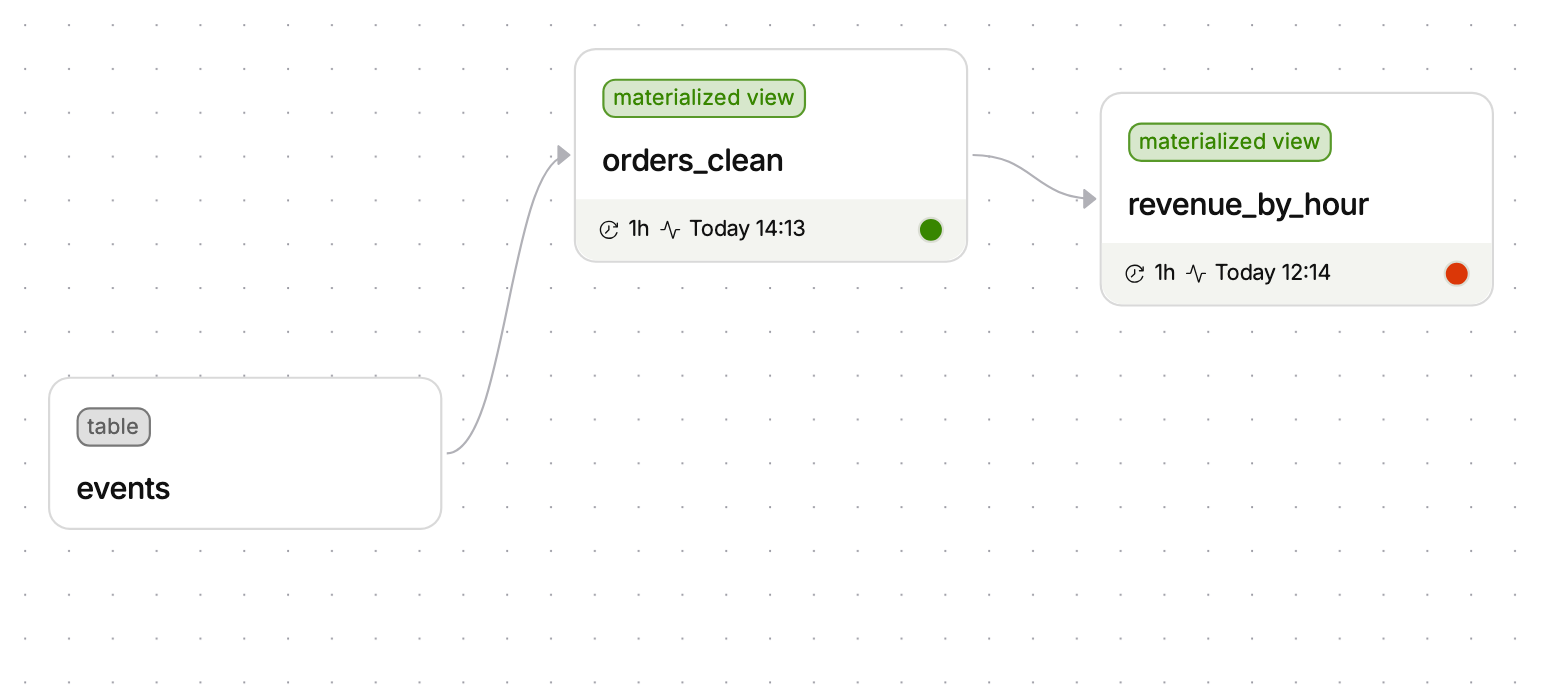
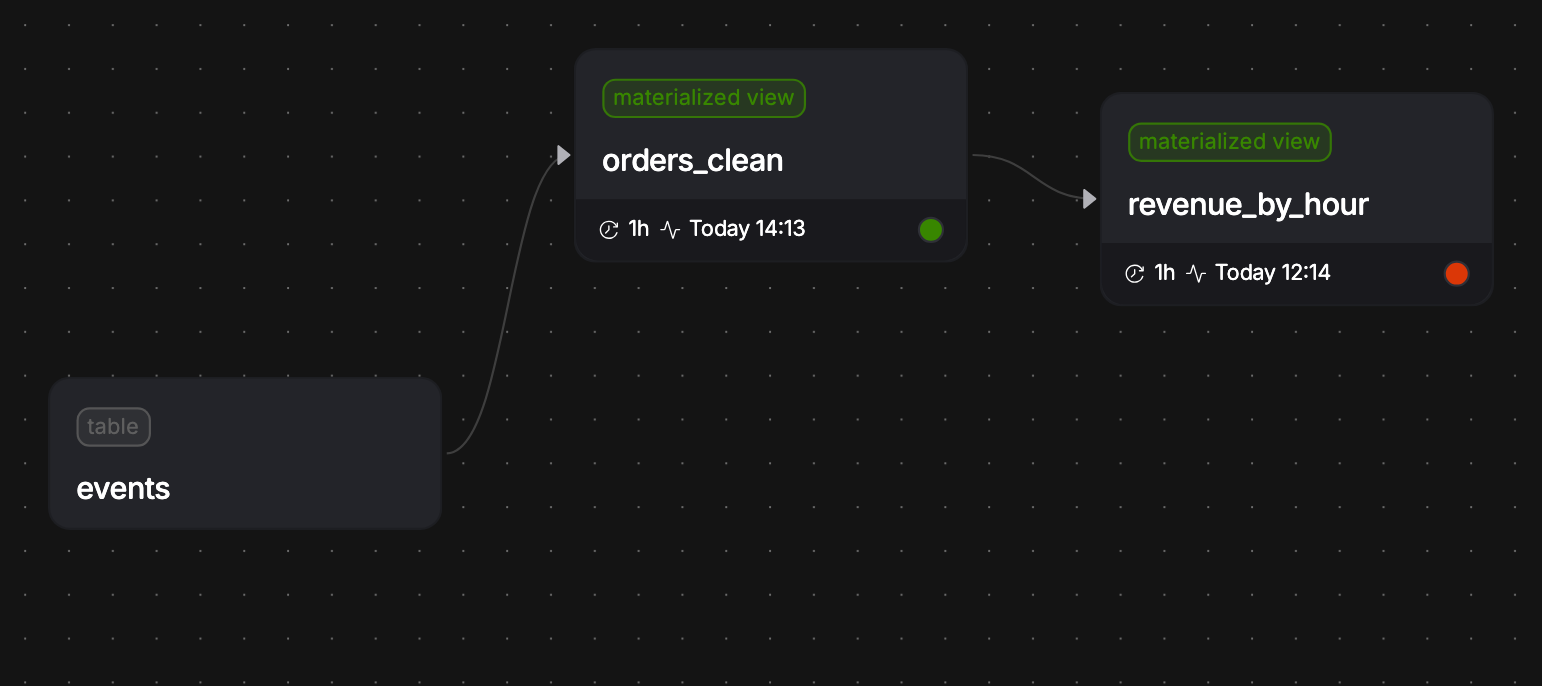
When views read other views, PostHog refreshes them in dependency order, so a view never reads a half-written table. An upstream view also refreshes at least as often as the fastest view downstream of it. Otherwise the downstream view would refresh against old data.
This works in both directions:
- Speeding up a view speeds up what it reads. When you pick a cadence faster than an upstream view, the picker names the upstream views that will also refresh at that cadence to keep up.
- An upstream view shows the cadence it inherits. If a downstream view needs it to refresh faster than its own setting, the picker shows the faster cadence and says which downstream view requires it.
The upstream view keeps its own setting. When the downstream view slows down again, or you delete it, the upstream view goes back to the cadence you set.
For example, orders_clean is set to refresh every day. You then set revenue_by_hour, which reads orders_clean, to refresh every hour. From then on, orders_clean refreshes every hour too, and its picker says it refreshes every hour to keep up with revenue_by_hour. If you later set revenue_by_hour back to every day, orders_clean returns to every day.


Pinning a slower cadence
Sometimes a downstream view reads several inputs, and only some of them need to be fresh. Say signups refreshes every 15 minutes. It reads trial_events, which must be fresh, and joins in org_details, an expensive enrichment that only changes a few times a day. Without a pin, org_details refreshes every 15 minutes too, to keep up with signups.
A pin lets an upstream view keep a slower cadence anyway. On the upstream view's Refresh every picker, cadences slower than its downstream views need are still available. Hover over one to see who it affects, for example Pin this view to every 6 hours. Downstream view signups refreshes more often and will read older data from it. Pick it and save.
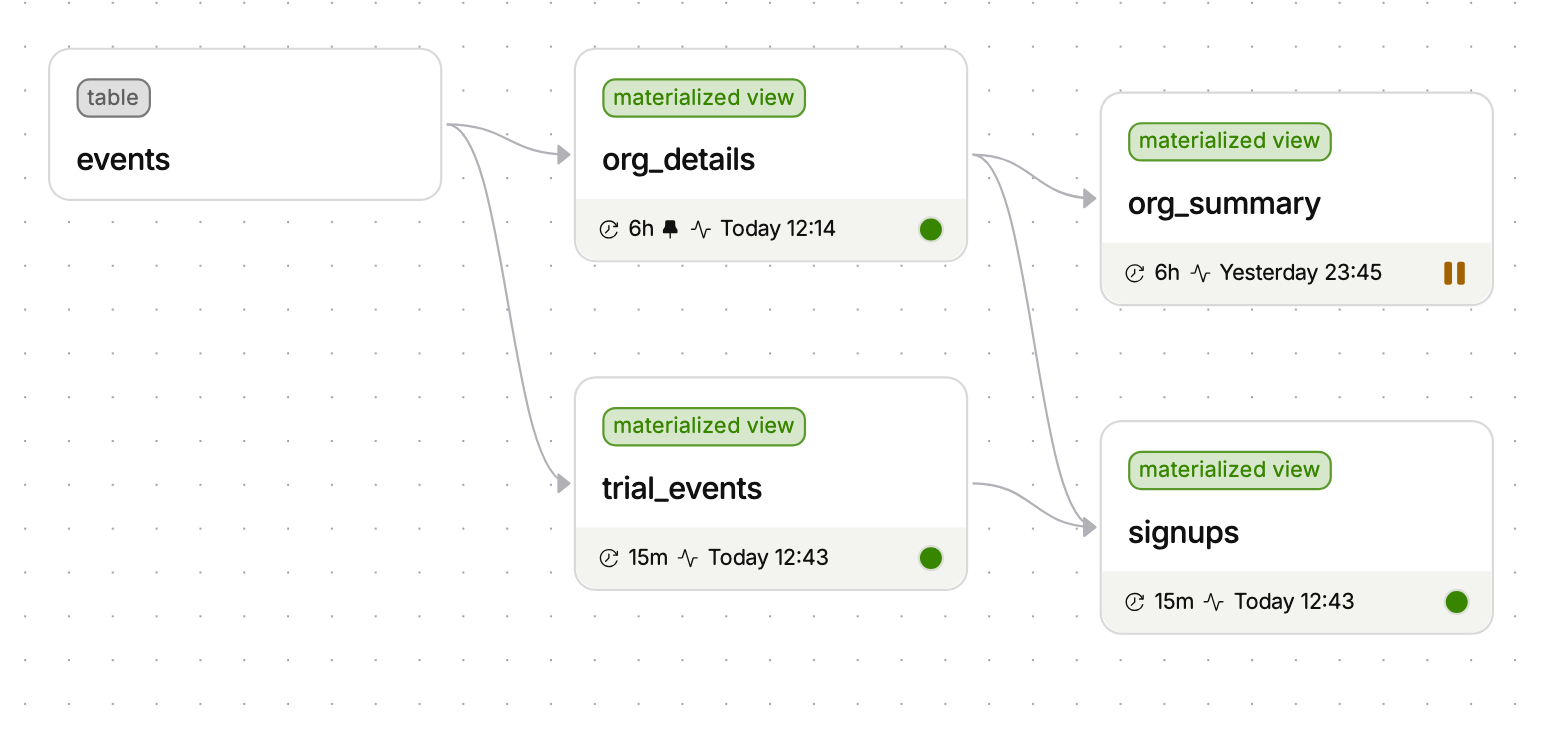
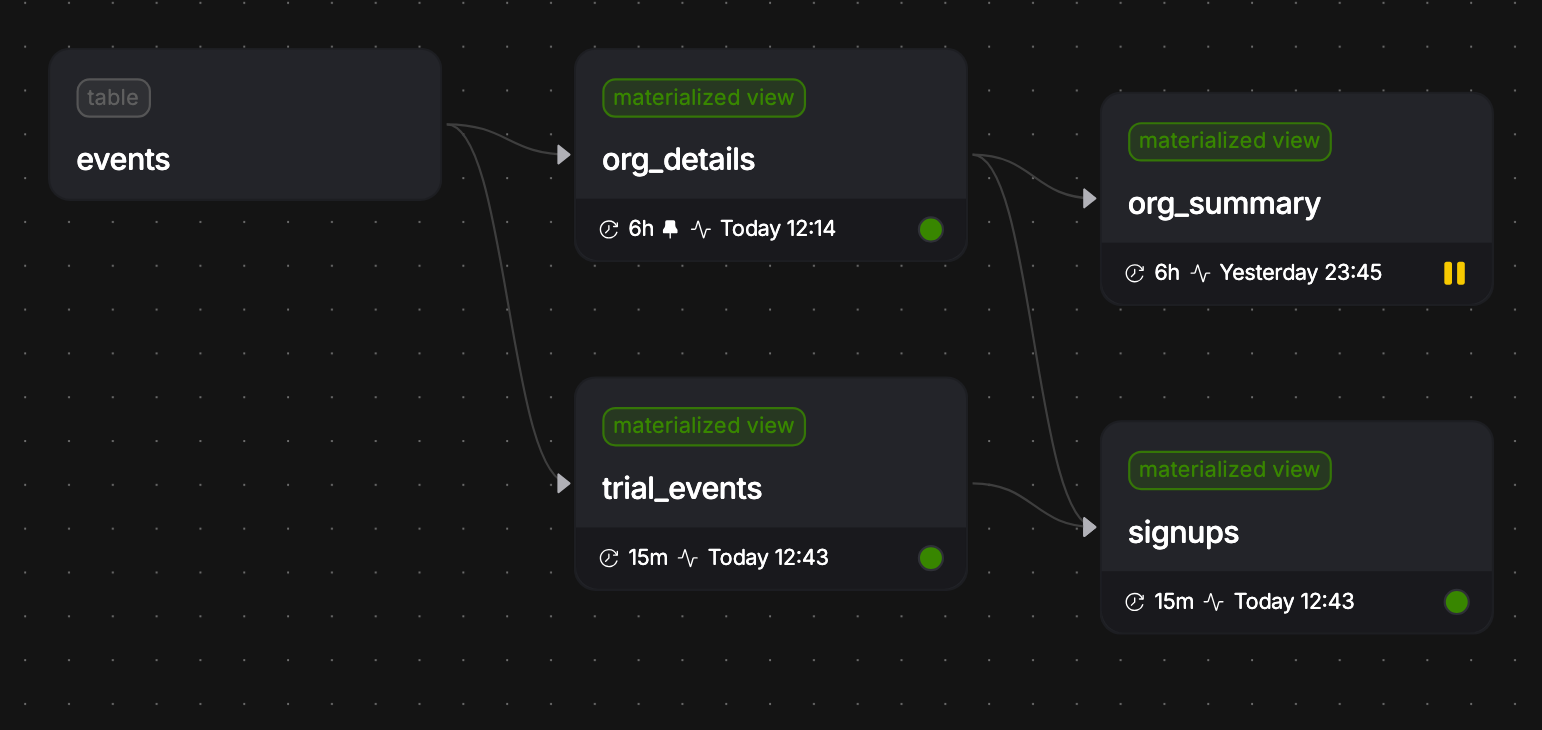
A pinned view shows a pin icon on its cadence, and the line under the picker says which downstream views read older data from it. In the example, signups still refreshes every 15 minutes with fresh trial_events, but the org_details columns can be up to about 6 hours old. Endpoints downstream of a pinned view work the same way: they serve data that can be as old as the pin.


When you can't pin
A pin can't leave a downstream view with nothing fresh to read. If a downstream view reads fresh data only through this view, pinning slower than that view's cadence would make it rerun the same data. Those options are unavailable and say Can't pin: downstream view ... reads fresh data only through this view. Slow down that downstream view first, or pin a faster cadence.
Unpinning
Hover over the pinned cadence and click the × to unpin. Before you save, the picker shows the cadence the view will run at once unpinned, usually the cadence its fastest downstream view needs. Save to apply it.
How fresh is the data, really
The cadence is a target, not a guarantee. The data in a view can be older than its cadence when:
- A run fails. The table keeps the last successful result. See failures and suspension.
- The data it reads is older. Ages add up along the chain. A view that refreshes every 15 minutes over a source that syncs every 6 hours can hold data up to about 6 hours and 15 minutes old. The same goes for a view that reads a pinned upstream view.
- A run takes longer than the cadence. A view on a 15-minute cadence whose query takes 20 minutes can't finish a run every 15 minutes. Make each run faster before you make the cadence shorter. Incremental materialization often helps.
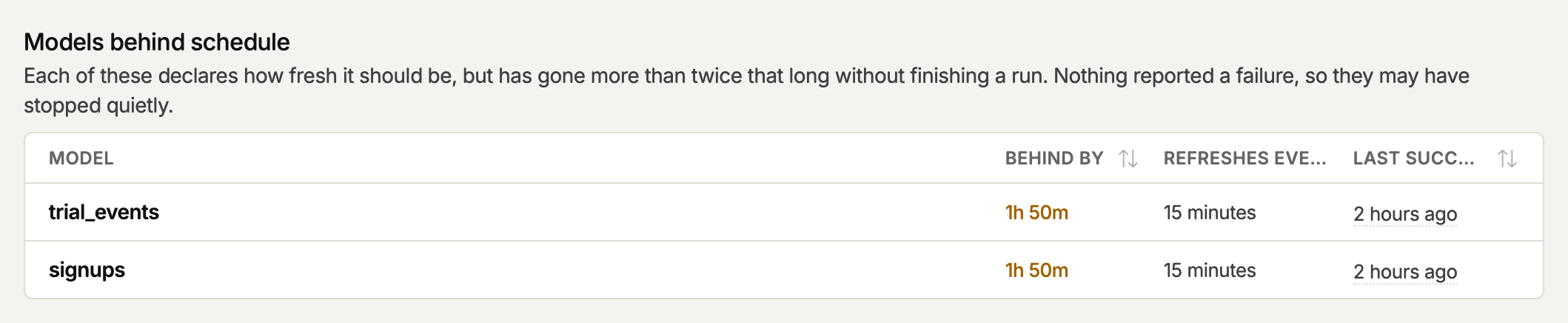
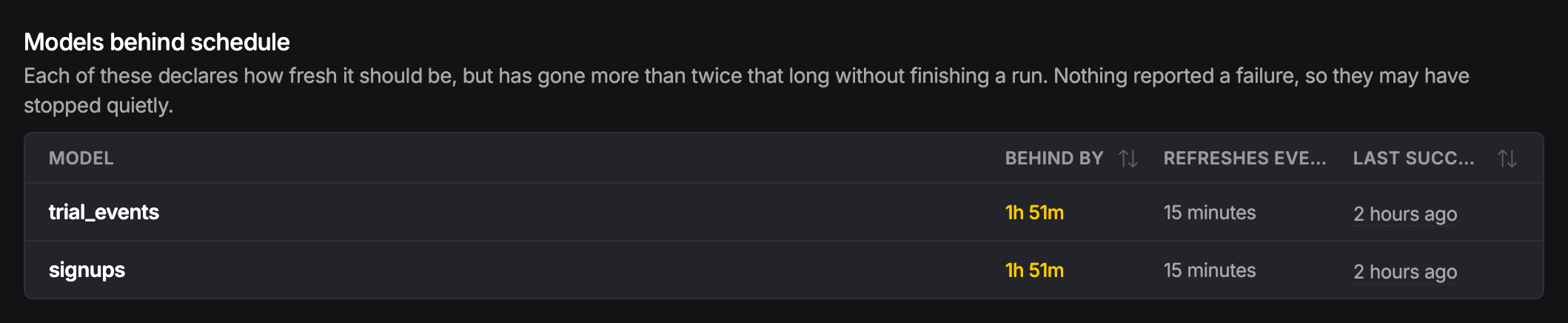
The Overview tab of the Models page lists Models behind schedule. A view appears there when its last successful run is more than twice its cadence old. Behind by shows how far past its cadence it is. Paused views never appear there, because you stopped them on purpose.